An inspector asks
The workflow starts from a question about inspection results.
 NORIKERAll demos
The agent lists rejected lots, routes each inspection, builds the report, and notifies production.
FinBlade AI · Produced by ICS Nett · Sample data
See this with your own dataInspection results sit in one system and reports in another. After a rejection, someone writes the non-conformance report, decides the disposition, and tells production. Each handoff adds delay.
One inspection goes in. The report, the disposition, and the notice come out. Quality engineers review and decide, and they stop assembling paperwork.
The workflow starts from a question about inspection results.
A table shows each lot, the units, the defects, the disposition, and the reports raised against it.
Three paths: clearance, non-conformance, or critical quality escalation.
Each path builds its own document, and production is notified by email.
This Workflow AI use case runs quality control, from the inspection record to the nonconformance report and the notice that follows. It starts at the user input node, the bridge between the inspector and the workflow, carrying each query in from the front end. A quality control agent picks it up, choosing its own tools and working from the inspection data attached to it. Here, it returns the rejected lots as a table: the lot, the units, the inspection date, how many were defective, the disposition, and the nonconformance reports raised against it. 10,800 units across those lots, 795 of them defective, each one scrapped, quarantined, or returned to the supplier. The decision node then routes the inspection down one of 3 paths. A clearance report when the lot passes, a non-conformance report when it does not, and a critical quality report when it has to be escalated. Each path builds its own document and converts it straight to PDF. The clearance report comes out ready to file, every lot and every disposition in one place. And the result goes out by email, so production is notified without anyone chasing it. One inspection in, and the report, the disposition, and the notice out.
Company names, people, and figures in these demos are illustrative. Your configuration, data access, and deployment are defined during scoping.
 1:24
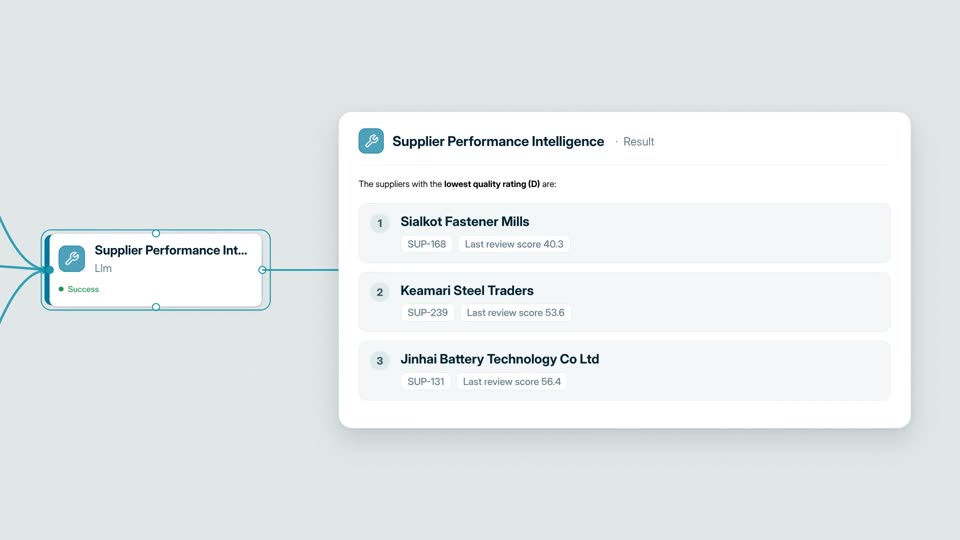
One question reads five registers and five reports at once and names the suppliers with the lowest quality ratings.
Explore this demo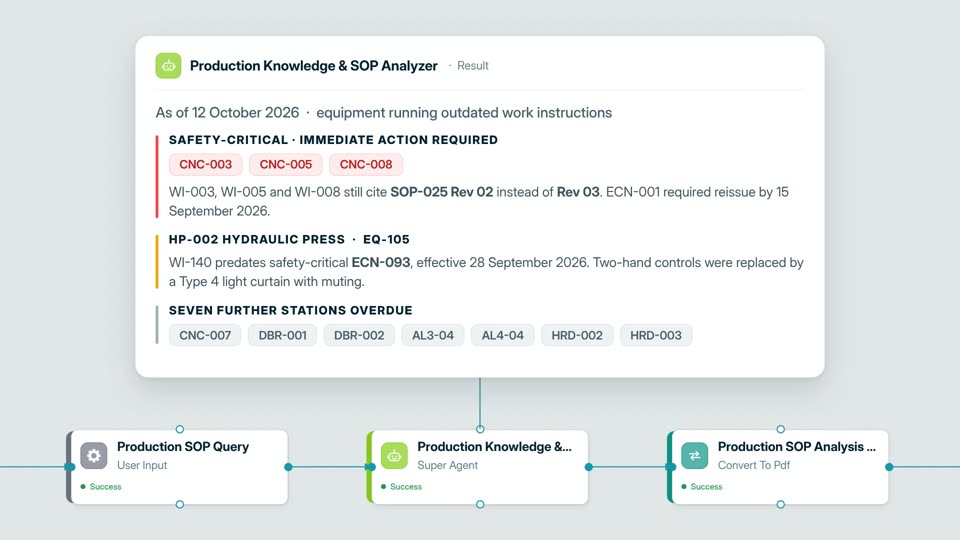 1:36
The agent checks every work instruction against every engineering change and lists the equipment running outdated procedures.
Explore this demo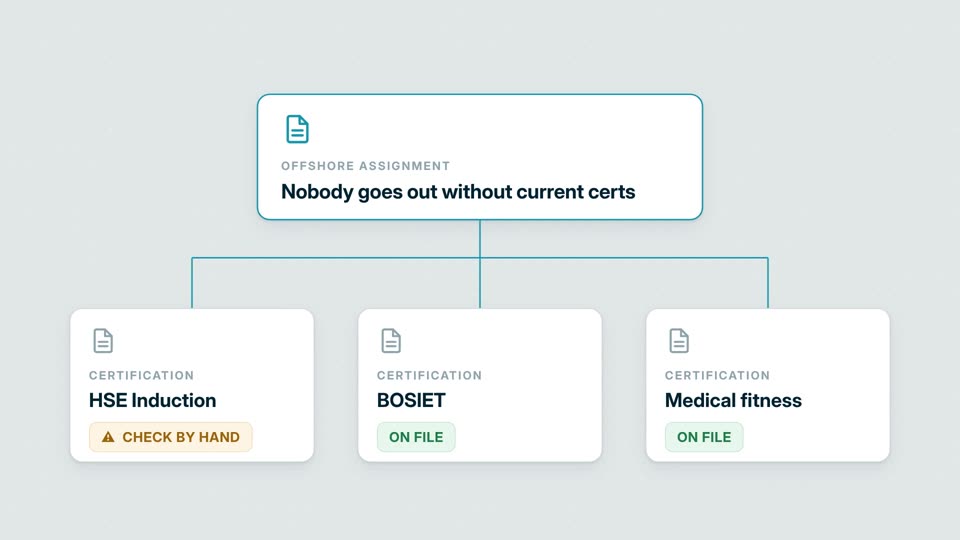 1:25
Training, permits, and medical certificates are checked together. The answer is dated, and the right report goes out.
Explore this demo